
AI Apps & Developer Tools
What Is HackerTube? How It Works & How to Use It
Explore HackerTube, Karpathy's Hacker News video discovery project: how curation works, how to use it, privacy limits, and practical learning workflows.

HackerTube is an independent website for discovering YouTube videos through recommendations found in Hacker News discussions. Andrej Karpathy introduced it on October 31, 2026, describing an AI-assisted project built with Claude Code. Think of it as a different doorway into existing videos, organized around a particular community's accumulated interests. Karpathy's launch account.
Its appeal is straightforward: finding something worth watching can require more effort than watching it. A useful discovery tool reduces that effort while preserving enough context to judge a recommendation. This guide explains the product, offers a deliberate way to use it, and separates useful design ideas from claims that require stronger evidence.
Reviewed November 2, 2026. We inspected the live website, its About and Settings pages, categories, playlists, and one video page. This is a product walkthrough, not a security audit or an independent ranking-quality benchmark. Illustrations are conceptual technology sketches.
Table of contents
- HackerTube at a glance
- How HackerTube selects and organizes videos
- How to use HackerTube
- What midpoint thumbnails change
- HackerTube vs YouTube and Hacker News
- Privacy and browser-local preferences
- A practical learning workflow
- What builders can learn from it
- Limitations and evaluation checklist
- Frequently asked questions
- Sources and verification notes
HackerTube at a glance
| Question | Answer |
|---|---|
| What is the official site? | hackertube.org |
| What does it help with? | Finding videos through an HN-centered discovery interface. |
| How large is its published catalog? | Its About page lists 6,454 videos and 39,834 labeled HN comments, spanning 2007–2026. |
| What is the subject range? | The site reports 150 topics across 16 areas. |
| Is it an official YouTube or HN product? | Its About page explicitly says it is independent. |
| Is a Google login required to start browsing? | We encountered no sign-in requirement during the walkthrough. |
Catalog figures are a dated snapshot, not a live counter or an independent count. HackerTube About.
Despite its name, this is not limited to cybersecurity. The Categories page includes software, computing history, mathematics, hardware, AI, arts, and other subjects. Choose it because that editorial neighborhood suits your curiosity, rather than expecting a complete map of everything published on video.
How HackerTube selects and organizes videos
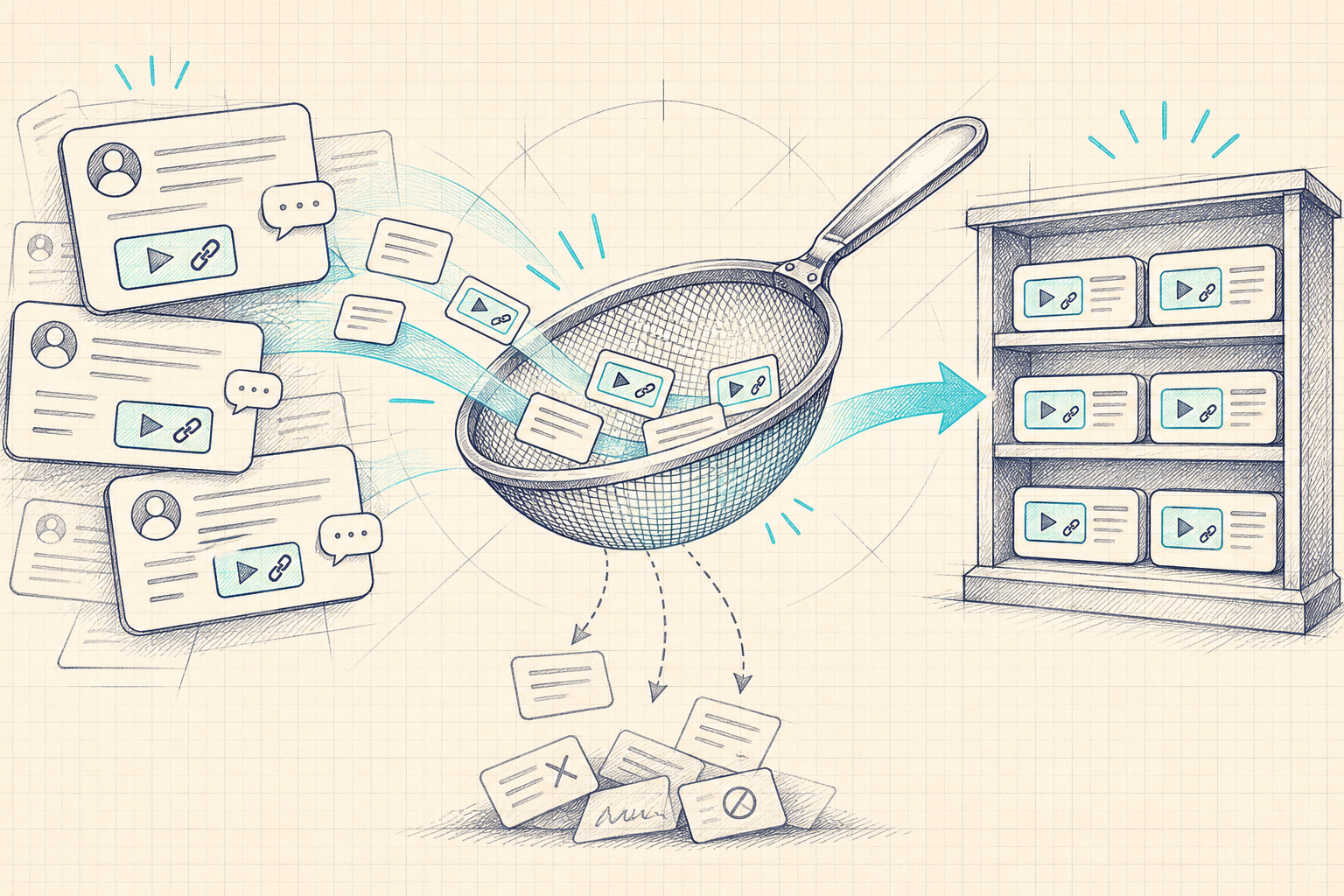
Karpathy describes using AI to filter HN comments containing YouTube links and organize the results. He reports roughly two hours for the project, with manual steps including obtaining a Google API key, provisioning a VPS, and buying a domain. Treat that timing as his account of a specific build, not a universal engineering estimate. Launch account.
The site's fuller methodology describes repeat recommendations across different people and months, contextual classification of comments, and ranking that favors recurring endorsement over an isolated spike. It also describes semantic search and links back to discussion evidence. Published methodology.
The important conceptual distinction is mention versus endorsement. Someone may link a video to criticize it, quote a disputed claim, or make a joke. Counting links alone collapses those different intentions. A better discovery system attempts to retain the reason a link appeared.
Even then, a classifier produces an interpretation. When the topic matters, follow the discussion and ask whether the evidence supports the card's framing. Community approval is a useful starting signal; it does not independently establish technical correctness.
How to use HackerTube
Start at the official homepage. The live navigation includes Search, Longs, Liked, History, Watch later, Categories, Playlists, and Settings. A first session can be simple:
- Choose one question. Write something concrete, such as “How do storage engines make writes durable?” A question helps distinguish useful material from merely adjacent material.
- Search, then browse a related category. Compare the two routes rather than assuming the first result is the best starting point.
- Inspect a video page. Read its description and supporting discussion before committing an hour. In our inspected CppCon example, the page provided additional context around the selected talk.
- Keep a small queue. Use Watch later for a few realistic next choices. A large backlog can become another form of browsing without learning.
- Return after watching. Decide whether the video answered your original question and whether you can apply anything from it.
The Playlists page offers ordered collections, including programming, deep learning, computer architecture, and systems. An ordered list is useful when you lack the vocabulary to search effectively. Still check prerequisites: editorial ordering cannot guarantee that every viewer starts with the same background.
Our advice is to use one collection as scaffolding and take notes outside the site. That preserves your work if you change tools, devices, or learning goals.
What midpoint thumbnails change
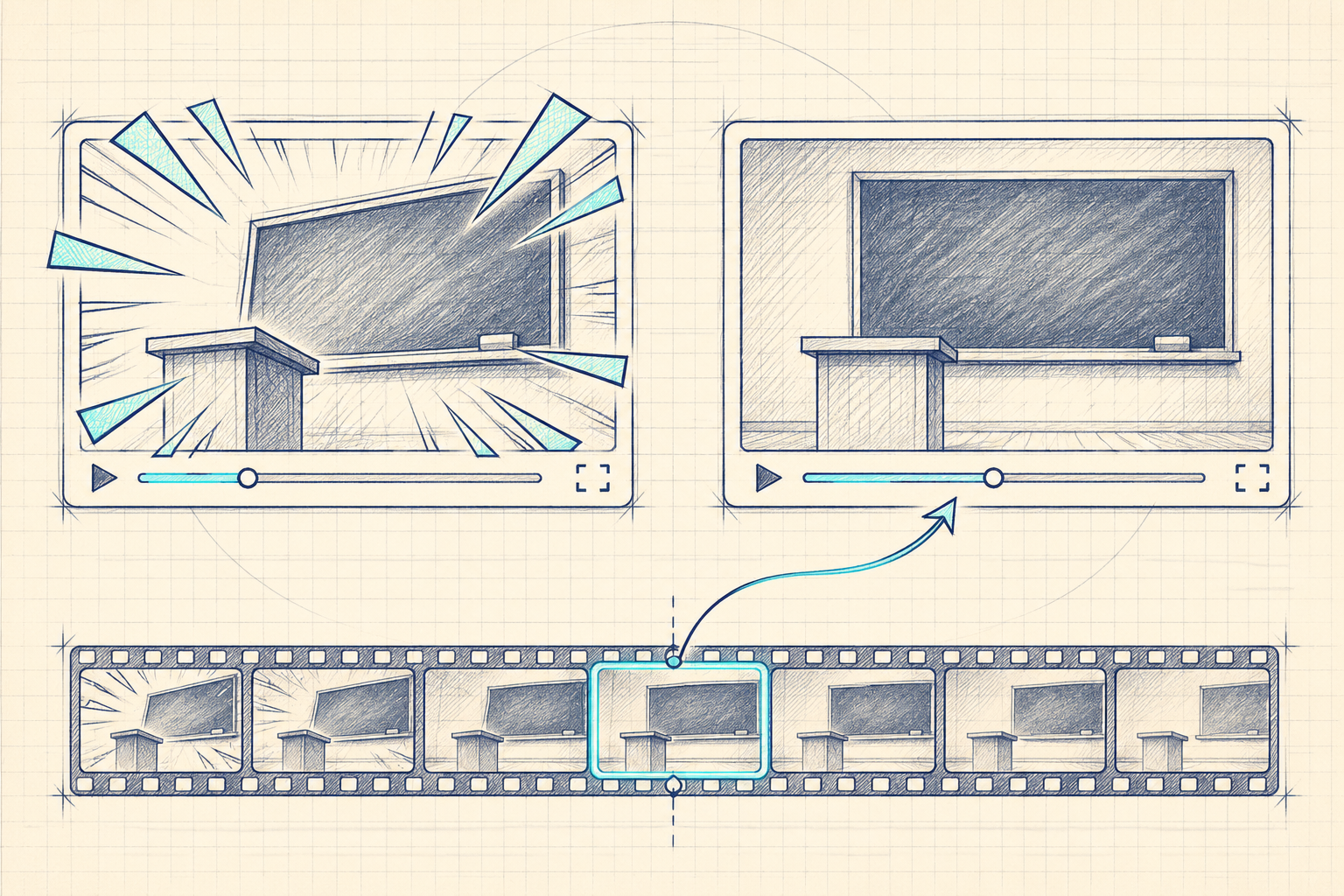
The Settings page offers a switch between uploader thumbnails and frames from the middle of videos. Karpathy also highlights this choice in his launch post. It changes the preview image, not the underlying video. Launch post.
Our interpretation: a neutral frame may help you judge whether a recording contains slides, a demonstration, an interview, or a stage talk. It can reduce the influence of promotional artwork during selection.
There is a tradeoff. A single frame can show a transition, a blank screen, or a slide that represents only one part of the argument. Original thumbnails sometimes communicate the topic more clearly. Try both settings with several familiar videos and judge which helps you choose accurately.
The useful metric is not whether a grid looks calmer. It is whether you spend less time opening unsuitable videos and more time finding material relevant to your question. We did not measure that outcome experimentally.
HackerTube vs YouTube and Hacker News
These services operate at different layers. The following is an editorial comparison of their practical roles, not a measured performance ranking.
| Starting point | Useful role | What you still need to judge |
|---|---|---|
| HackerTube | Browse a bounded collection with HN discussion context. | Whether the collection and its framing match your goals. |
| YouTube directly | Visit an original channel or search for a specific recording. | Whether a result is relevant, current, and credible. |
| Hacker News directly | Read a discussion and follow links within its conversational setting. | Whether comments endorse, dispute, or merely mention a video. |
| Your own reading list | Preserve resources tied to a project or curriculum. | Whether the list remains current and sufficiently broad. |
A discovery layer can save navigation without replacing the original source. Google documents how websites can integrate a YouTube player through its IFrame Player API. An interface around a video should not be confused with ownership of that video or independence from its playback provider.
For a known lecture, going directly to the original channel may be fastest. For exploration, a community-derived catalog can provide a helpful first pass. For a disputed claim, reading the discussion and the speaker's primary references may be more valuable than either feed.
Privacy and browser-local preferences

HackerTube says it has no accounts and stores likes, history, and Watch later in the current browser. It also says it uses YouTube's privacy-enhanced embed. Privacy statement.
The practical implication of browser-local state is portability. Do not assume your preferences will appear on another laptop, in a separate browser profile, or after clearing site data. Keep important resource links and study notes somewhere you control.
Local storage also has a narrower meaning than anonymity. It describes where specified application state is kept. By itself it says nothing definitive about server access logs, network requests, embedded-provider behavior, or information visible to someone using the same unlocked device. We did not audit those systems.
For a shared computer, consider a separate browser profile and the device's normal privacy controls. For a personal computer, the main everyday concern may be losing your queue rather than managing a new account. Choose based on your circumstances; the absence of a login is not a complete privacy model.
A practical learning workflow

Discovery becomes valuable when it produces something beyond a watch history. Here is an original 45-minute routine you can adapt to technical learning. The timing is a suggestion, not a claim about the product.
Minutes 0–5: define an output. Pick a small deliverable: a diagram, a runnable example, or a written explanation. “Understand databases” is too broad; “explain why an index may not help this query” creates a testable target.
Minutes 5–15: select a segment. Find a promising talk, inspect its context, and identify a portion relevant to your question. A long recording can be useful without watching every minute in one sitting.
Minutes 15–30: watch actively. Record three claims, one uncertainty, and one reference to verify. Distinguish what the speaker demonstrates from what they assert. Preserve timestamps so that future review is quick.
Minutes 30–40: test one idea. Run a small experiment, work through a derivation, or compare a claim with current documentation. Historical talks often remain valuable conceptually while their implementation advice requires updating.
Minutes 40–45: write the next question. Note what changed in your understanding and which uncertainty remains. Save only the next resource needed to resolve it.
If you use an AI assistant to organize notes, provide material you are authorized to share and ask it to separate quotations, paraphrases, and inferences. Verify its output against your notes. A model has not watched a video merely because you gave it a URL.
Builders experimenting with a separate study assistant can explore the 01Router model gateway and integration documentation. Those are optional development resources, not prerequisites for HackerTube, and this article does not imply an integration or affiliation.
A compact note template makes this routine repeatable: record the question, the source URL, relevant timestamps, the claim you checked, and the resulting artifact. Add a confidence note when the evidence is incomplete. For a programming topic, that artifact might be a failing example followed by a corrected implementation. For a conceptual talk, it might be a diagram that you can explain without replaying the recording.
When two videos disagree, write down the assumptions each speaker makes before choosing a winner. Different workloads, historical constraints, or definitions can produce apparently conflicting advice. The productive next step is often a smaller question that you can investigate directly.
What builders can learn from it
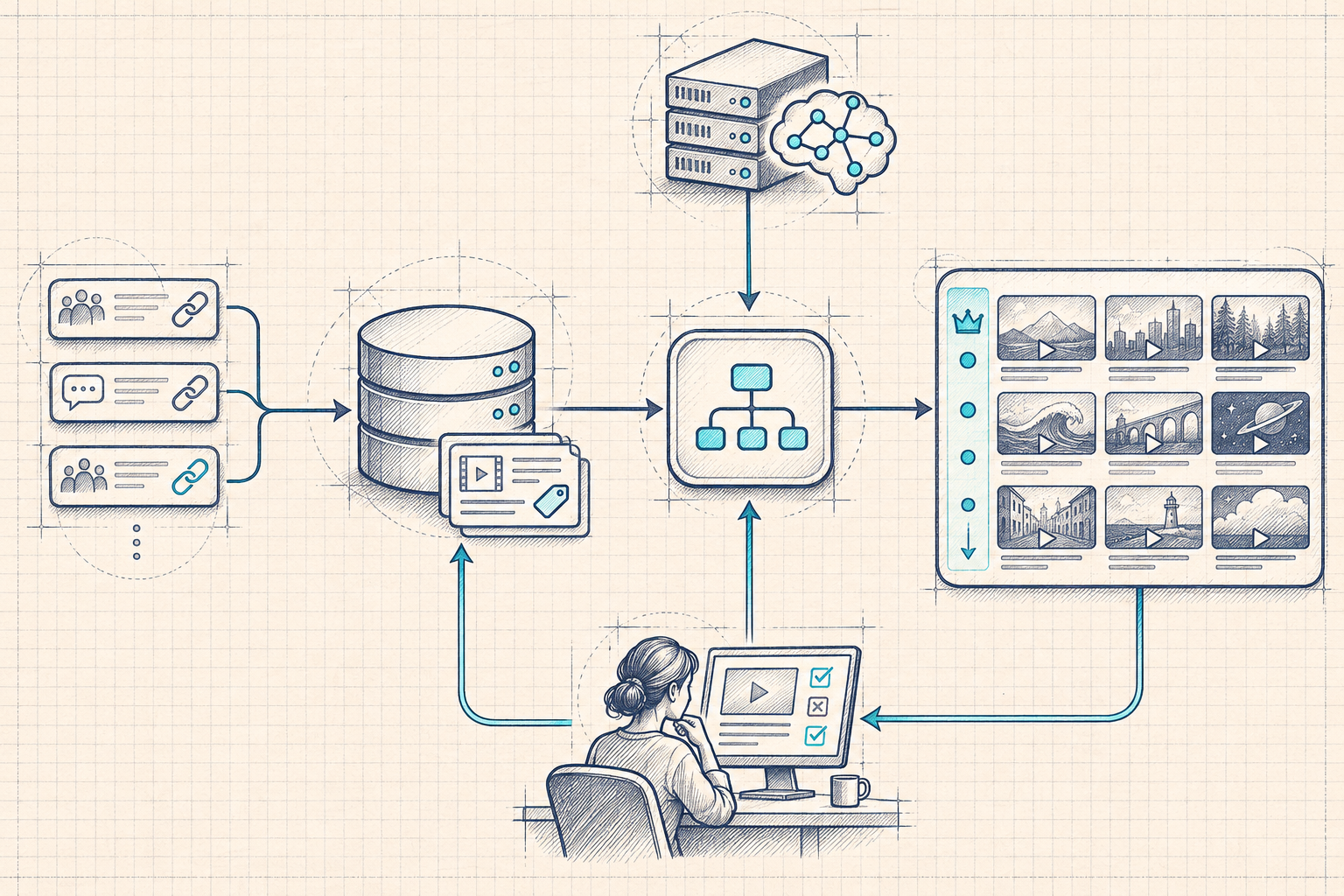
The broader product lesson is that a familiar content collection can become more useful when its selection rules change. A focused catalog, clear provenance, and understandable controls may matter more than adding another generation feature.
For your own project, treat ingestion, interpretation, presentation, and evaluation as separate decisions:
- Ingestion: normalize duplicate links and preserve source identifiers. Keep enough provenance to revisit the original discussion.
- Interpretation: distinguish endorsement, criticism, humor, and citation. Retain uncertainty rather than forcing every ambiguous record into a confident label.
- Presentation: explain why an item appears and let the reader inspect supporting evidence. A summary should help navigation, not replace the source.
- Evaluation: review sampled classifications, inspect mistakes, and compare results with a simpler baseline before adding complexity.
This is a proposed design pattern, not a reconstruction of HackerTube's private implementation. For new HN integrations, consult the official Hacker News API documentation; historical archive processing and a live API client are different tasks.
If an external model is part of your classifier, measure the cost of a complete accepted batch, including retries and human review. Check 01Router pricing against the exact model and workload you plan to use. Keep credentials server-side and never treat community comments as executable instructions.
Limitations and evaluation checklist
A community is a lens. Repeated endorsement can reveal durable value, but it can also favor familiar speakers and topics. Look beyond the catalog when you need underrepresented viewpoints, a specialized curriculum, or the newest material.
An old explanation can age unevenly. A talk's underlying model may remain useful while its library examples, security assumptions, or deployment instructions become stale. Check dates and current primary documentation before applying details.
An AI-written card is a navigation aid. It can miss caveats or overstate an argument. Compare it with the relevant segment and discussion when accuracy affects a decision.
A short build story is not a maintenance plan. Availability checks, dependency updates, abuse handling, and data refreshes continue after launch. The reported build time should not become a promise about operating a similar service.
Before adopting it as a regular learning tool, try ten selections and record whether each was relevant, understandable at your level, and useful afterward. Compare that with your existing discovery method. Avoid measuring only minutes watched: a shorter session that produces a correct explanation may be more valuable.
For further independent research, the 01Router blog collects related AI and developer-tool guides. Apply the same source-checking habit to every article, including this one.
Use a small observation sheet with five columns: your original question, why you selected the video, time spent, a verifiable outcome, and whether another source was needed. This keeps the evaluation connected to actual work. It also makes failure useful: an irrelevant recommendation can reveal a missing prerequisite, an overly broad query, or a mismatch between your interests and the collection. Change one thing in the next session and compare again.
Frequently asked questions
What is HackerTube?
It is a video discovery website centered on YouTube links discussed on Hacker News. Use it to explore a curated starting set, then evaluate the original material yourself.
Who created HackerTube?
Karpathy introduced the project and described directing Claude Code to build it. His post is the primary source for the creation story; we did not independently reproduce that build.
Is HackerTube only for hacking videos?
No. Its visible categories span technical and nontechnical subjects. The name reflects the community source rather than a cybersecurity-only curriculum.
Is it free, and do I need an API key?
We browsed without a payment step, account, or API key. That observation does not establish permanent pricing terms. Building a separate application has its own service and infrastructure requirements.
Is it an ad blocker or a replacement video host?
Do not infer either from the interface. Discovery, video hosting, and advertising behavior are separate concerns. We did not test ad behavior or promise uninterrupted playback.
Can I use it across devices?
Treat browsing and preference portability as different questions. You can visit the website elsewhere, but do not assume your saved state follows automatically. Preserve important links independently.
Sources and verification notes
- HackerTube official website: navigation and browsing walkthrough.
- HackerTube About: catalog snapshot, methodology, independence, and stated privacy behavior.
- Karpathy: HackerTube: October 31, 2026 launch account and reported build process.
- Settings, Categories, and Playlists: directly inspected product surfaces.
- YouTube IFrame Player API and Hacker News API: supporting technical references, not evidence of undisclosed implementation details.
- Supplied X trend page: returned HTTP 403 during research; not used to substantiate reach, popularity, or factual claims.