Grok Imagine Image 2.0 API

xAI Grok Imagine Image 2.0: bold, detailed images with low/medium quality tiers at 1K or 2K.

xAI·ImageAvailable

from$0.018/ image

Model IDgrok-imagine-image-2.0

text-to-imageimage-edit

Input

Text · Image

Output

Image

Provider

10 providers

Aspect ratio

1:1 · 16:9 · 9:16 · 4:3 · 3:4 · 3:2 · 2:3

Resolution

1K · 2K

Quality

low · medium

Last 7 days · not enough recent requests for stats yet.

Grok Imagine Image 2.0 pricing

Prices are per unit; requests without a provider are routed to the cheapest provider that supports your parameters.

OptionPrice (USD)
All options
$0.018 / image
2 Credits

Try Grok Imagine Image 2.0 before you integrate

Test output quality, compare provider prices and estimate cost before writing any code.

Provider
Image
Estimated cost

Input

prompt
image_urls
aspect_ratio
resolution
quality
num_images

Result

Idle
Your generation will appear here.

Provider prices for this request

Enter a prompt to compare provider prices.

Grok Imagine Image 2.0 prompt examples

Ready-to-use prompts. Load one into the playground and tweak it.

Source
Scene

8 prompts

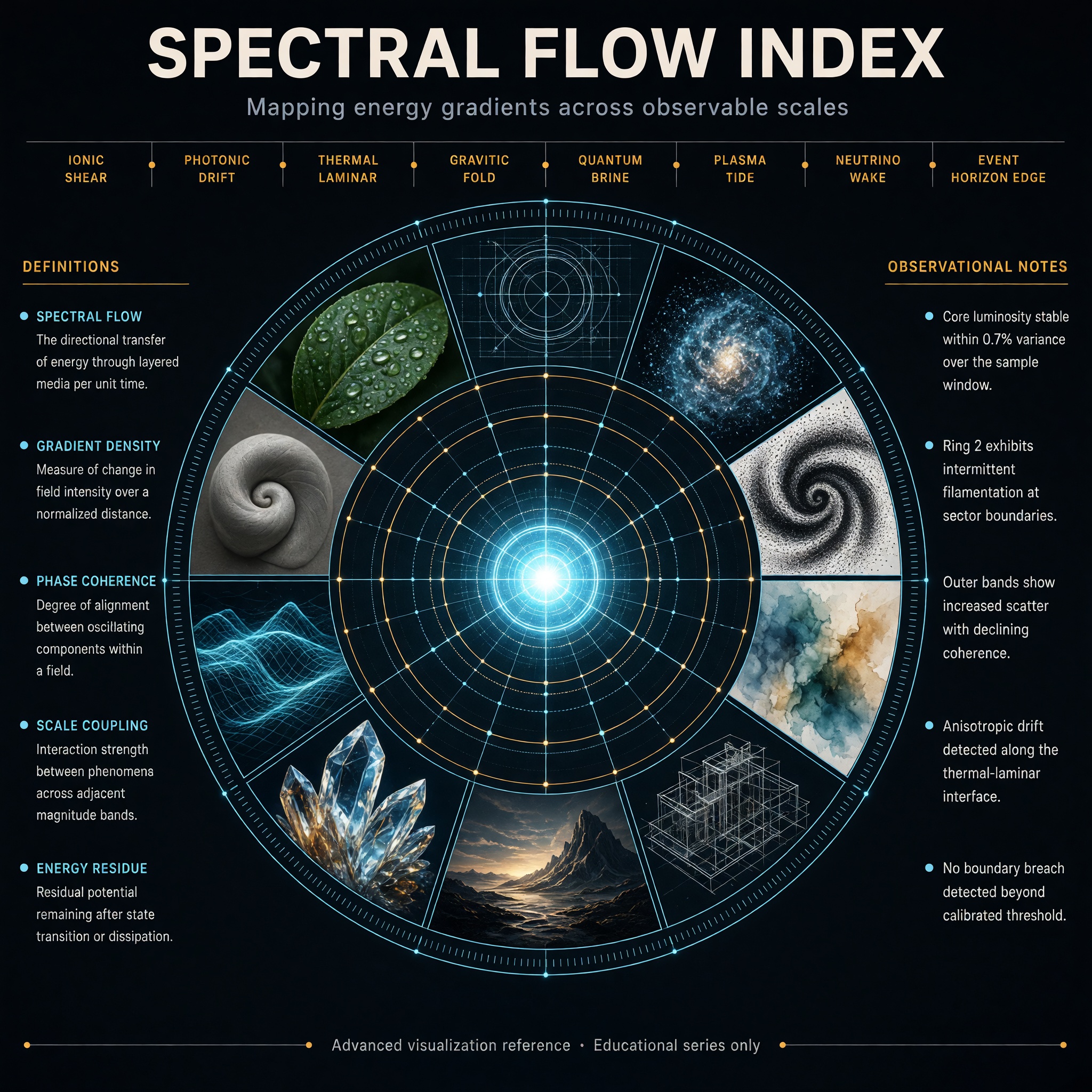
Create a high-end hero infographic titled “SPECTRAL FLOW INDEX”. Design it as a large

Create a high-end hero infographic titled “SPECTRAL FLOW INDEX”. Design it as a large circular radial diagram with a bright central glowing core, surrounded by five clean concentric rings expanding outward like a precision instrument dial. Each ring is divided into evenly spaced segments containing miniature visual studies rendered in distinctly different styles: photorealism, blueprint linework, volumetric particle render, ink stipple, soft watercolor, isometric technical drawing, cinematic still, macroscopic crystal close-up, luminous wireframe, and matte clay sculpture. The overall atmosphere is electric, refined, and extremely polished — deep charcoal background, subtle luminous cyan and soft amber accents, thin glowing guide lines, and perfect geometric alignment. Typography is dense, hierarchical, and perfectly legible with sharp edges and straight baselines: Large precise bold sans-serif title centered at the very top Medium-weight subtitle directly beneath it: “Mapping energy gradients across observable scales” A clean horizontal band of eight short, evenly spaced labels in sharp small caps across the upper third, naming invented measurement zones Two tall vertical columns of text, one on the far left and one on the far right, each containing five tightly spaced entries in clear body text (definitions on the left, observational notes on the right) A single thin full-width footer line at the very bottom in micro but still razor-sharp text: “Advanced visualization reference · Educational series only” All text sits on straight horizontal or vertical axes. No curved or circular text. Consistent spacing, strong visual hierarchy, and absolute clarity at every scale.
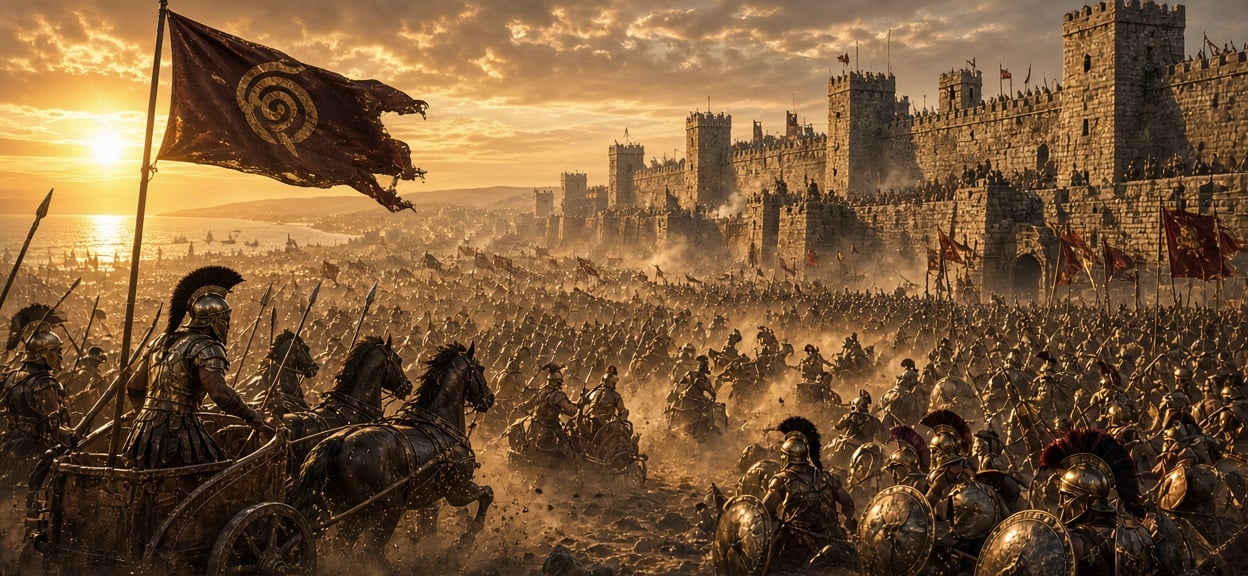

A vast battlefield outside the ancient city of Troy, thousands of Greek and Trojan war

A vast battlefield outside the ancient city of Troy, thousands of Greek and Trojan warriors clashing beneath towering stone walls. Heroes in bronze armor ride chariots through clouds of dust, giant banners wave in the wind, while the golden light of sunset illuminates the legendary battlefield. The scale of war stretches beyond the horizon, cinematic epic composition, Homeric mythology, dramatic storytelling, ultra realistic, IMAX movie frame, 8K masterpiece.

A cinematic, photorealistic late-night workspace in a near-future city. A developer si

A cinematic, photorealistic late-night workspace in a near-future city. A developer sits casually at a clean desk beside a large rain-covered window, focused on a laptop. Outside, the city glows softly through the rain with restrained cyan, emerald-green and occasional violet light. The atmosphere feels slightly cyberpunk, but realistic and lived-in rather than futuristic fantasy. The room is quiet and minimal: dark graphite surfaces, a mechanical keyboard, a half-finished cup of coffee, subtle cable details, soft reflections on glass and brushed metal. Natural posture, realistic hands, authentic skin texture, understated clothing, candid documentary feeling. The laptop screen shows a clean dark interface with the small word “EvoLink” in the corner, spelled exactly and clearly. No large logo, no slogan, no floating holograms, no obvious network diagrams. Soft emerald #00FF88 and cyan #00D4FF screen light gently illuminate the developer’s face and hands, with a very subtle violet #7C3AED accent in the distant city. Moody cinematic lighting, realistic rain reflections, shallow depth of field, medium-format editorial photography, premium technology brand aesthetic, sophisticated and understated. No excessive neon, no crowded cyberpunk signs, no sci-fi armor, no dramatic holograms, no fake interface text, no extra words, no malformed hands, no plastic skin, no oversaturated colors.

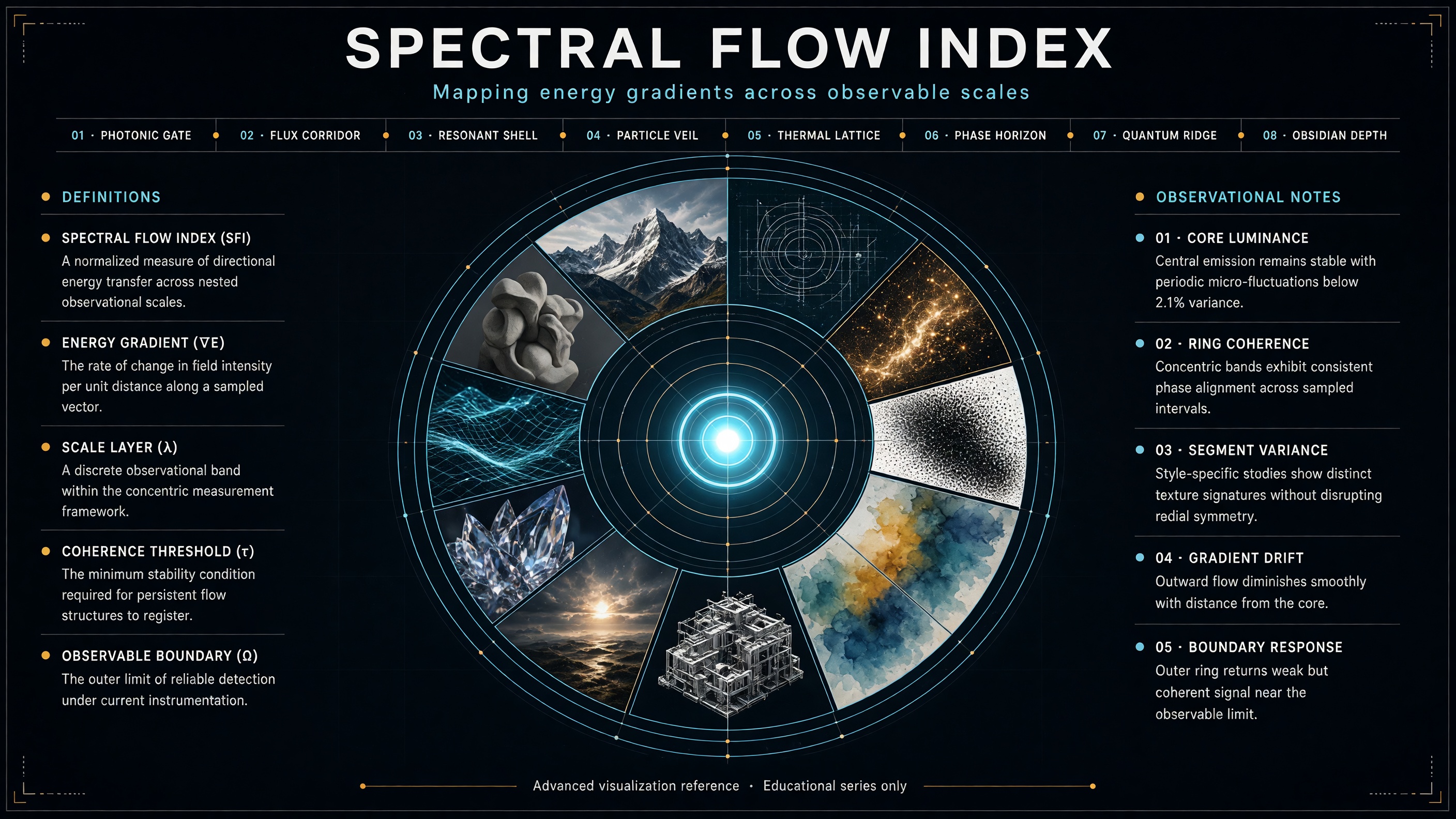
Create a high-end hero infographic titled “SPECTRAL FLOW INDEX”. Design it as a large

Create a high-end hero infographic titled “SPECTRAL FLOW INDEX”. Design it as a large circular radial diagram with a bright central glowing core, surrounded by five clean concentric rings expanding outward like a precision instrument dial. Each ring is divided into evenly spaced segments containing miniature visual studies rendered in distinctly different styles: photorealism, blueprint linework, volumetric particle render, ink stipple, soft watercolor, isometric technical drawing, cinematic still, macroscopic crystal close-up, luminous wireframe, and matte clay sculpture. The overall atmosphere is electric, refined, and extremely polished — deep charcoal background, subtle luminous cyan and soft amber accents, thin glowing guide lines, and perfect geometric alignment. Typography is dense, hierarchical, and perfectly legible with sharp edges and straight baselines: Large precise bold sans-serif title centered at the very top Medium-weight subtitle directly beneath it: “Mapping energy gradients across observable scales” A clean horizontal band of eight short, evenly spaced labels in sharp small caps across the upper third, naming invented measurement zones Two tall vertical columns of text, one on the far left and one on the far right, each containing five tightly spaced entries in clear body text (definitions on the left, observational notes on the right) A single thin full-width footer line at the very bottom in micro but still razor-sharp text: “Advanced visualization reference · Educational series only” All text sits on straight horizontal or vertical axes. No curved or circular text. Consistent spacing, strong visual hierarchy, and absolute clarity at every scale.
Photoreal late-night developer desk by a rainy window in a near-future city, cyan, emerald and violet palette, code on a laptop screen, a mug of tea, soft reflections, no people.

Dense infographic titled "SPECTRAL FLOW INDEX": a radial dial with a glowing core and five rings of tiles, eight small-caps labels, two side columns of stats, charcoal background with cyan and amber accents.

Grok Imagine Image 2.0 API reference

Endpoints, request fields and runnable examples for this model.

Base URL

https://01router.com/api/v1
llms.txt

Quick start

Set API_KEY to your project key, then run a sample from your server. Replace example media URLs with your own public URLs.

Auto-routing chooses a provider that supports the request. Select a provider to see its input constraints and pinned request examples.

curl https://01router.com/api/v1/generations \
  -H "Authorization: Bearer $API_KEY" \
  -H "Content-Type: application/json" \
  --data-binary @- <<'JSON'
{
  "model": "grok-imagine-image-2.0",
  "input": {
    "prompt": "A cinematic shot of a red fox running through snow",
    "aspect_ratio": "1:1",
    "resolution": "1K",
    "quality": "medium",
    "num_images": 1
  }
}
JSON

# Replace GENERATION_ID with the id returned above; poll until status is "succeeded" or "failed"
curl https://01router.com/api/v1/generations/GENERATION_ID -H "Authorization: Bearer $API_KEY"

Endpoints

Only endpoints relevant to this model are listed. Paths below include /api/v1. Click an endpoint to read its usage.

Authentication

Send your API key as a Bearer token. Requests are billed to the key owner's credits.

Authorization: Bearer YOUR_API_KEY
Content-Type: application/json
Get an API key

Input

Send JSON with Content-Type: application/json. Model parameters belong inside input; model, provider and callback_url are top-level fields.

Request body

NameTypeRequiredDescription
modelstringYes"grok-imagine-image-2.0"
providerstringNoPin a provider; omit to auto-route to the cheapest. One of: fal | 01router | replicate | wavespeed | kie | apimart | evolink | atlascloud | vercel | openrouter
inputobjectYesModel parameters, see the input fields below.
callback_urlstringNoOptional public HTTPS webhook URL. The final task result is signed and delivered here; polling remains available.

input · input fields

Required fields are marked explicitly. Other fields use the listed defaults when omitted.

NameTypeRequiredValuesDefault
prompt*stringYes——
image_urls
Optional — switches to image editing
string[]NomaxItems: 4—
aspect_ratiostringNo1:1 | 16:9 | 9:16 | 4:3 | 3:4 | 3:2 | 2:31:1
resolutionstringNo1K | 2K1K
qualitystringNolow | mediummedium
num_imagesintegerNomin: 1 · max: 41
Callbacks →

Output

Creating a task does not mean generation has finished. Keep its id, poll until succeeded or failed, then read outputs or error. Amounts below are illustrative; actual charges depend on the request.

queued→processing→succeeded / failed

Task submitted

{
  "id": "gen_example",
  "object": "generation",
  "model": "grok-imagine-image-2.0",
  "type": "image",
  "provider": "fal",
  "status": "processing",
  "input": {
    "prompt": "A cinematic shot of a red fox running through snow",
    "aspect_ratio": "1:1",
    "resolution": "1K",
    "quality": "medium",
    "num_images": 1
  },
  "outputs": [],
  "error": null,
  "credits": 0,
  "price_usd": 0,
  "created_at": "2026-10-25T08:00:00.000Z",
  "completed_at": null
}

Task completed

{
  "id": "gen_example",
  "object": "generation",
  "model": "grok-imagine-image-2.0",
  "type": "image",
  "provider": "fal",
  "status": "succeeded",
  "input": {
    "prompt": "A cinematic shot of a red fox running through snow",
    "aspect_ratio": "1:1",
    "resolution": "1K",
    "quality": "medium",
    "num_images": 1
  },
  "outputs": [
    "https://example.com/output.png"
  ],
  "error": null,
  "credits": 0,
  "price_usd": 0,
  "created_at": "2026-10-25T08:00:00.000Z",
  "completed_at": "2026-10-25T08:01:00.000Z"
}

Response fields

NameTypeRequiredDescription
idstringYesGeneration ID. Use it to query or cancel this task.
objectstringYesgeneration
modelstringYesgrok-imagine-image-2.0
typestringYesimage
providerstringYesProvider
statusstringYesqueued → processing → succeeded / failed. Stop polling at either terminal state.
inputobjectYesModel parameters, see the input fields below.
outputsstring[]YesResult URLs. Empty while processing; read after succeeded and save the files promptly.
errorstring | nullYesFailure reason, or null when no failure is reported.
creditsnumberYesCredits charged for this request.
price_usdnumberYesRequest price in USD.
created_atstringYesCreation time in ISO 8601 format.
completed_atstring | nullYesCompletion time in ISO 8601 format; null before completion.

Get the result

Poll every few seconds until status is succeeded or failed. Output URLs are provider-hosted and may expire — download them promptly. Or pass callback_url to get the result pushed.

curl "https://01router.com/api/v1/generations/GENERATION_ID" \
  -H "Authorization: Bearer $API_KEY"

queued → processing → succeeded / failed. Stop polling at either terminal state. Result URLs. Empty while processing; read after succeeded and save the files promptly.

Cancel a task

Cancellation depends on provider support and task state. A confirmed cancellation returns status: failed and error: Canceled by user. Unsupported or completed tasks return 409 not_cancelable.

curl -X POST "https://01router.com/api/v1/generations/GENERATION_ID/cancel" \
  -H "Authorization: Bearer $API_KEY"

Quote

Same body as creating a generation. Returns every available provider sorted by price, plus the ones that cannot serve the request and why.

curl "https://01router.com/api/v1/quote" -H "Content-Type: application/json" --data-binary @- <<'JSON'
{
  "model": "grok-imagine-image-2.0",
  "input": {
    "prompt": "A cinematic shot of a red fox running through snow",
    "aspect_ratio": "1:1",
    "resolution": "1K",
    "quality": "medium",
    "num_images": 1
  }
}
JSON

OpenAI-compatible images

For OpenAI SDK integrations, use this endpoint with top-level prompt. It waits for the result and returns data[].url. For asynchronous tasks and the full model parameter set, use /generations.

curl "https://01router.com/api/v1/images/generations" \
  -H "Authorization: Bearer $API_KEY" \
  -H "Content-Type: application/json" --data-binary @- <<'JSON'
{
  "model": "grok-imagine-image-2.0",
  "prompt": "A cinematic shot of a red fox running through snow"
}
JSON
{
  "created": 1792915200,
  "data": [
    {
      "url": "https://example.com/output.png"
    }
  ]
}

Model schema

This public endpoint returns the model parameters and each provider’s supported constraints and prices.

curl "https://01router.com/api/v1/models/grok-imagine-image-2.0"

Errors

Check the HTTP status and error.message. Fix the request before retrying validation or authentication errors. A failed generation is reported in status and error on the task itself.

{
  "error": {
    "message": "Invalid or missing API key",
    "code": "unauthorized"
  }
}

400Invalid body or parameter value

401Missing or invalid API key

402Not enough credits

404Unknown model or generation

409The task cannot be canceled (already finished, or the provider does not support canceling)

429Too many requests — retry after the given seconds

502Every provider rejected the task (credits refunded)

Auth, routing, billing and error codes are covered in →

Use with AI

Give your coding assistant this model reference: endpoints, input constraints, output fields and request examples in plain text.

Open llms.txt

How does Grok Imagine Image 2.0 compare?

Specs and starting prices side by side. Test with the same prompt before you choose.

Grok Imagine Image 2.0GPT Image 2.5 FlareGPT Image 2.5 SunburstNano Banana 2.1
VendorxAIOpenAIOpenAIGoogle
Starting price$0.018 / image$0.0053 / image$0.0053 / image$0.018 / image
InputText · ImageText · ImageText · ImageText · Image
Provider10 providers6 providers6 providers8 providers
Aspect ratio1:1 · 16:9 · 9:16 · 4:3 · 3:4 · 3:2 · 2:31:1 · 4:3 · 3:4 · 16:9 · 9:16 · 3:2 · 2:31:1 · 4:3 · 3:4 · 16:9 · 9:16 · 3:2 · 2:31:1 · 16:9 · 9:16 · 4:3 · 3:4 · 3:2 · 2:3 · 4:5 · 5:4 · 21:9
Resolution1K · 2K——1K · 2K · 4K
Qualitylow · mediumlow · medium · high · xhigh · maxlow · medium · high · xhigh · max—

Grok Imagine Image 2.0 API FAQ

What is Grok Imagine Image 2.0?

xAI's image model for generation and editing. It plans typography and layout carefully, keeps small text sharp and is strong for posters, infographics and product shots.

What is the difference between low and medium quality?

low is fast and cheap for drafts; medium (default) takes longer and gives more detail. Resolution (1K or 2K) is set separately.

Can I edit with reference images?

Yes. Add source images in image_urls and describe the change. The number of accepted references depends on the provider.

How well does it render Chinese text?

English text is very reliable; Chinese text is less consistent, so check results and consider a model like Qwen Image 3.0 for Chinese-heavy layouts.

How is it billed on 01router?

Per generated image by quality and resolution, plus a small per-request fee for input images on some providers; see the pricing table. Failed generations are refunded.

Related models

Other models you can call with the same API key.