
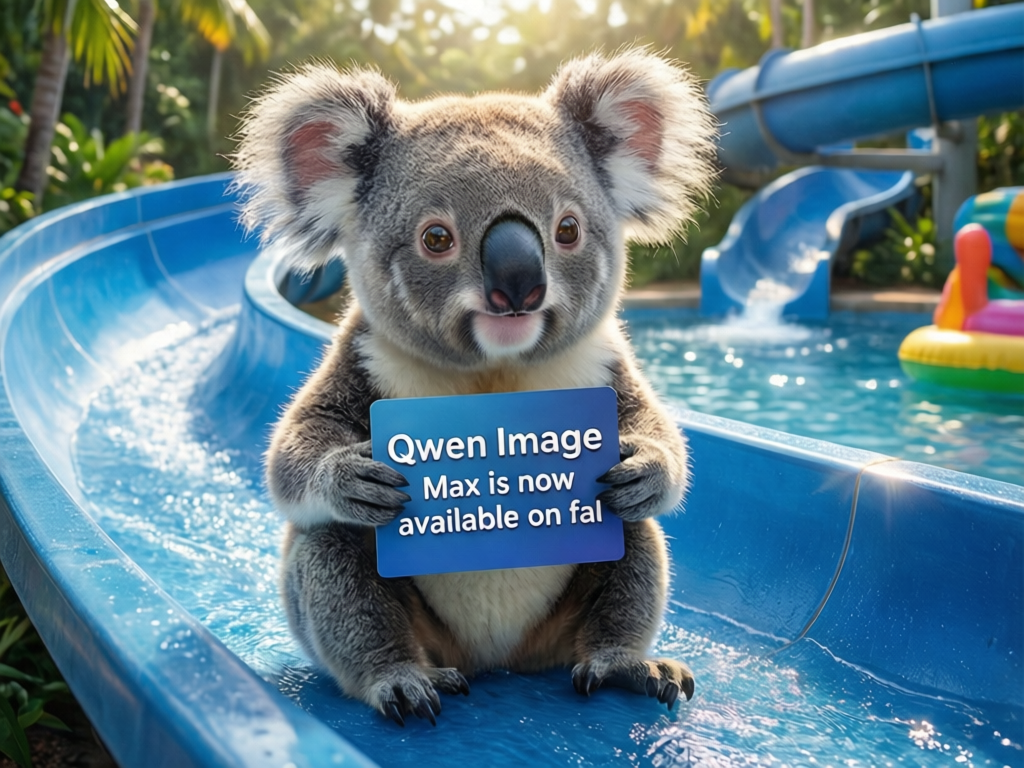
A cute baby koala holding a card that says "Qwen Image 3 is now available on fal" while on a water slide
Qwen Image 3.0: excellent Chinese/English text rendering, posters and precise editing.
低至$0.019/ 张$0.021省 10%
模型 IDqwen-image-3.0
输入
文本 · 图片
输出
图片
供应商
4 家供应商
Aspect ratio
1:1 · 16:9 · 9:16 · 4:3 · 3:4 · 3:2 · 2:3 · 21:9
Resolution
1K · 2K
Images
1 – 4
近 7 天表现 · 近期请求较少,暂无统计数据。
价格按单位计费;未指定供应商时,会路由到支持该参数组合且价格最低的供应商。
| 规格 | 价格(美元) |
|---|---|
| 全部规格 | $0.019 / 张 2 积分 |
写代码之前,先测试生成效果、对比各供应商价格并预估费用。
输入提示词即可对比各供应商价格。
可直接使用的提示词,一键载入 Playground 再调整。
共 7 条提示词
A cute baby koala holding a card that says "Qwen Image 3 is now available on fal" while on a water slide

A young violinist performing alone on a rooftop at twilight, city skyline glowing behind her, wind moving her long coat, dramatic clouds above, emotional cinematic scene, elegant pose, realistic photography, wide-angle composition, soft blue and orange lighting.

A group of close friends celebrating on a rooftop overlooking a futuristic city, colorful fireworks illuminating the night sky, champagne glasses raised, laughter frozen in time, cinematic lighting, emotional storytelling, shallow depth of field, anamorphic lens, ultra realistic, 8K
A baby koala riding down a bright water slide, holding a card that reads "Qwen Image 3 is here", splashes, sunny day, playful photo style.
Elegant tea shop poster with the Chinese title "春日新茶" and the English line "Spring Harvest Tea", a celadon teacup, steam and plum blossoms, ink-wash background.
A young woman playing violin alone on a rooftop at twilight, glowing city skyline, coat blowing in the wind, dramatic clouds, blue and orange light, wide-angle realistic photo.
该模型的接口、请求字段与可直接运行的调用示例。
Base URL
https://01router.com/api/v1将 API_KEY 设为项目密钥,在服务端运行示例。示例中的媒体地址需替换为您自己的公开地址。
自动路由会选择支持当前请求的供应商。选择指定供应商,可查看它的参数约束和调用示例。
curl https://01router.com/api/v1/generations \
  -H "Authorization: Bearer $API_KEY" \
  -H "Content-Type: application/json" \
  --data-binary @- <<'JSON'
{
  "model": "qwen-image-3.0",
  "input": {
    "prompt": "A cinematic shot of a red fox running through snow",
    "aspect_ratio": "1:1",
    "resolution": "1K",
    "num_images": 1
  }
}
JSON

# Replace GENERATION_ID with the id returned above; poll until status is "succeeded" or "failed"
curl https://01router.com/api/v1/generations/GENERATION_ID -H "Authorization: Bearer $API_KEY"这里只列出当前模型相关的接口,路径已包含 /api/v1。点击接口可跳转到使用说明。
/api/v1/generations创建生成任务(扣积分) · 需要 API 密钥
/api/v1/generations/{id}查询任务;运行中会向上游拉取状态 · 需要 API 密钥
/api/v1/generations/{id}/cancel取消进行中的生成任务(退还积分) · 需要 API 密钥
/api/v1/quote对所有供应商报价(不扣费,无需 Key) · 公开 · 无需密钥
/api/v1/images/generations兼容 OpenAI 的图片生成接口(同步等待结果) · 需要 API 密钥
/api/v1/models/qwen-image-3.0查询单个模型 · 公开 · 无需密钥
以 Bearer Token 方式发送 API Key,费用从 Key 所属账户的积分中扣除。
Authorization: Bearer YOUR_API_KEY
Content-Type: application/json使用 Content-Type: application/json 发送请求。模型参数放在 input 中,model、provider、callback_url 放在最外层。
| 参数名 | 类型 | 必填 | 说明 |
|---|---|---|---|
| model | string | 是 | "qwen-image-3.0" |
| provider | string | 否 | 指定供应商;不传则自动路由到最便宜的。可选: fal | wavespeed | apimart | atlascloud |
| input | object | 是 | 模型参数,字段见下方 input 字段表。 |
| callback_url | string | 否 | 可选的公开 HTTPS 回调地址,接收带签名的任务最终结果;仍可通过查询接口获取状态。 |
必填字段已明确标记,其他字段省略时使用所列默认值。
| 参数名 | 类型 | 必填 | 可选值 | 默认值 |
|---|---|---|---|---|
| prompt* | string | 是 | — | — |
| negative_prompt | string | 否 | — | — |
| image_urls Optional — switches to image editing | string[] | 否 | maxItems: 3 | — |
| aspect_ratio | string | 否 | 1:1 | 16:9 | 9:16 | 4:3 | 3:4 | 3:2 | 2:3 | 21:9 | 1:1 |
| resolution | string | 否 | 1K | 2K | 1K |
| num_images | integer | 否 | min: 1 · max: 4 | 1 |
| seed | integer | 否 | min: 0 · max: 2147483647 | — |
创建任务成功不代表生成完成。保存 id,查询到 succeeded 或 failed 后,读取 outputs 或 error。示例金额仅作说明,实际费用由请求决定。
{
  "id": "gen_example",
  "object": "generation",
  "model": "qwen-image-3.0",
  "type": "image",
  "provider": "fal",
  "status": "processing",
  "input": {
    "prompt": "A cinematic shot of a red fox running through snow",
    "aspect_ratio": "1:1",
    "resolution": "1K",
    "num_images": 1
  },
  "outputs": [],
  "error": null,
  "credits": 0,
  "price_usd": 0,
  "created_at": "2026-10-25T08:00:00.000Z",
  "completed_at": null
}{
"id": "gen_example",
"object": "generation",
"model": "qwen-image-3.0",
"type": "image",
"provider": "fal",
"status": "succeeded",
"input": {
"prompt": "A cinematic shot of a red fox running through snow",
"aspect_ratio": "1:1",
"resolution": "1K",
"num_images": 1
},
"outputs": [
"https://example.com/output.png"
],
"error": null,
"credits": 0,
"price_usd": 0,
"created_at": "2026-10-25T08:00:00.000Z",
"completed_at": "2026-10-25T08:01:00.000Z"
}| 参数名 | 类型 | 必填 | 说明 |
|---|---|---|---|
| id | string | 是 | 任务 ID,用于查询或取消任务。 |
| object | string | 是 | generation |
| model | string | 是 | qwen-image-3.0 |
| type | string | 是 | image |
| provider | string | 是 | 供应商 |
| status | string | 是 | queued → processing → succeeded / failed。进入任一终态后停止轮询。 |
| input | object | 是 | 模型参数,字段见下方 input 字段表。 |
| outputs | string[] | 是 | 结果文件 URL 数组。处理中为空;成功后读取并及时下载保存。 |
| error | string | null | 是 | 失败原因;无错误时为 null。 |
| credits | number | 是 | 本次请求扣除的积分。 |
| price_usd | number | 是 | 本次请求的美元价格。 |
| created_at | string | 是 | ISO 8601 格式的任务创建时间。 |
| completed_at | string | null | 是 | ISO 8601 格式的完成时间;未完成时为 null。 |
每隔几秒轮询,直到 status 为 succeeded 或 failed。输出链接由供应商托管,可能过期,请及时下载保存;也可以传 callback_url 接收推送。
curl "https://01router.com/api/v1/generations/GENERATION_ID" \
  -H "Authorization: Bearer $API_KEY"
queued → processing → succeeded / failed。进入任一终态后停止轮询。 结果文件 URL 数组。处理中为空;成功后读取并及时下载保存。
取消取决于供应商支持情况和任务状态。确认取消后返回 status: failed、error: Canceled by user;不支持取消或已完成的任务返回 409 not_cancelable。
curl -X POST "https://01router.com/api/v1/generations/GENERATION_ID/cancel" \
-H "Authorization: Bearer $API_KEY"请求体与创建任务相同。返回按价格排序的可用供应商,以及无法处理该请求的供应商及原因。
curl "https://01router.com/api/v1/quote" -H "Content-Type: application/json" --data-binary @- <<'JSON'
{
  "model": "qwen-image-3.0",
  "input": {
    "prompt": "A cinematic shot of a red fox running through snow",
    "aspect_ratio": "1:1",
    "resolution": "1K",
    "num_images": 1
  }
}
JSON使用 OpenAI SDK 时,可调用此接口并在最外层传入 prompt。它会等待结果并返回 data[].url。异步任务和完整模型参数请使用 /generations。
curl "https://01router.com/api/v1/images/generations" \
  -H "Authorization: Bearer $API_KEY" \
  -H "Content-Type: application/json" --data-binary @- <<'JSON'
{
  "model": "qwen-image-3.0",
  "prompt": "A cinematic shot of a red fox running through snow"
}
JSON
{
"created": 1792915200,
"data": [
{
"url": "https://example.com/output.png"
}
]
}此公开接口返回模型参数,以及各供应商支持的参数约束和价格。
curl "https://01router.com/api/v1/models/qwen-image-3.0"结合 HTTP 状态码和 error.message 排查。参数或认证错误需修正后再重试;生成任务失败则通过任务本身的 status 和 error 返回。
{
  "error": {
    "message": "Invalid or missing API key",
    "code": "unauthorized"
  }
}400请求体或参数取值不合法
401缺少或无效的 API Key
402积分不足
404模型或任务不存在
409任务无法取消(已结束,或该供应商不支持取消)
429请求过于频繁,请稍后重试
502所有供应商都拒绝了任务(积分已退回)
将本模型文档交给编程助手:纯文本包含接口、输入约束、输出字段和请求示例。
并排对比规格与起步价,选择前建议用同一提示词实测。
| Qwen Image 3.0 | Z-Image Turbo | GPT Image 2.5 Flare | GPT Image 2.5 Sunburst | |
|---|---|---|---|---|
| 厂商 | Alibaba | Alibaba | OpenAI | OpenAI |
| 起步价 | $0.019 / 张 | $0.0035 / 张 | $0.0053 / 张 | $0.0053 / 张 |
| 输入 | 文本 · 图片 | 文本 | 文本 · 图片 | 文本 · 图片 |
| 供应商 | 4 家供应商 | 7 家供应商 | 6 家供应商 | 6 家供应商 |
| Aspect ratio | 1:1 · 16:9 · 9:16 · 4:3 · 3:4 · 3:2 · 2:3 · 21:9 | 1:1 · 16:9 · 9:16 · 4:3 · 3:4 | 1:1 · 4:3 · 3:4 · 16:9 · 9:16 · 3:2 · 2:3 | 1:1 · 4:3 · 3:4 · 16:9 · 9:16 · 3:2 · 2:3 |
| Resolution | 1K · 2K | — | — | — |
| Images | 1 – 4 | 1 – 4 | 1 – 4 | 1 – 4 |
阿里巴巴的 Qwen Image 3.0 以稳定渲染中英文文字著称,很适合做海报、菜单、封面和排版草稿。
支持。在 negative_prompt 中列出不想出现的内容,比如文字模糊、水印等。
部分供应商支持在 image_urls 中传参考图进行编辑,也有供应商只支持文生图。Playground 会显示哪些供应商支持当前输入。
1K 或 2K,比例从 1:1 到 21:9,单次最多 4 张。
按生成的图片张数计费,各供应商价格见价格表。生成失败会退还积分。
同一个 API Key 即可调用的其他模型。
Tongyi Z-Image Turbo: sub-second, very low-cost photoreal images with bilingual text.
OpenAI GPT Image 2.5 Flare: fast everyday generation and editing with precise text rendering.
OpenAI GPT Image 2.5 Sunburst: tighter control for demanding edits and premium creative.
Google Gemini image model: consistent multi-reference editing, 1K–4K output.
ByteDance Seedream 5.0 Pro: photoreal images, multilingual text and up to 10-reference editing.
Gemini 3.1 Flash Image: fast generation and editing with strong text rendering, 1K–4K.